Why Facebook Marketplace Shows You Items Outside Your Distance Filter
By Brian Li · · 6 min read · Last verified
Tested on the Facebook iOS app v574.0.0, searching from San Francisco, CA.
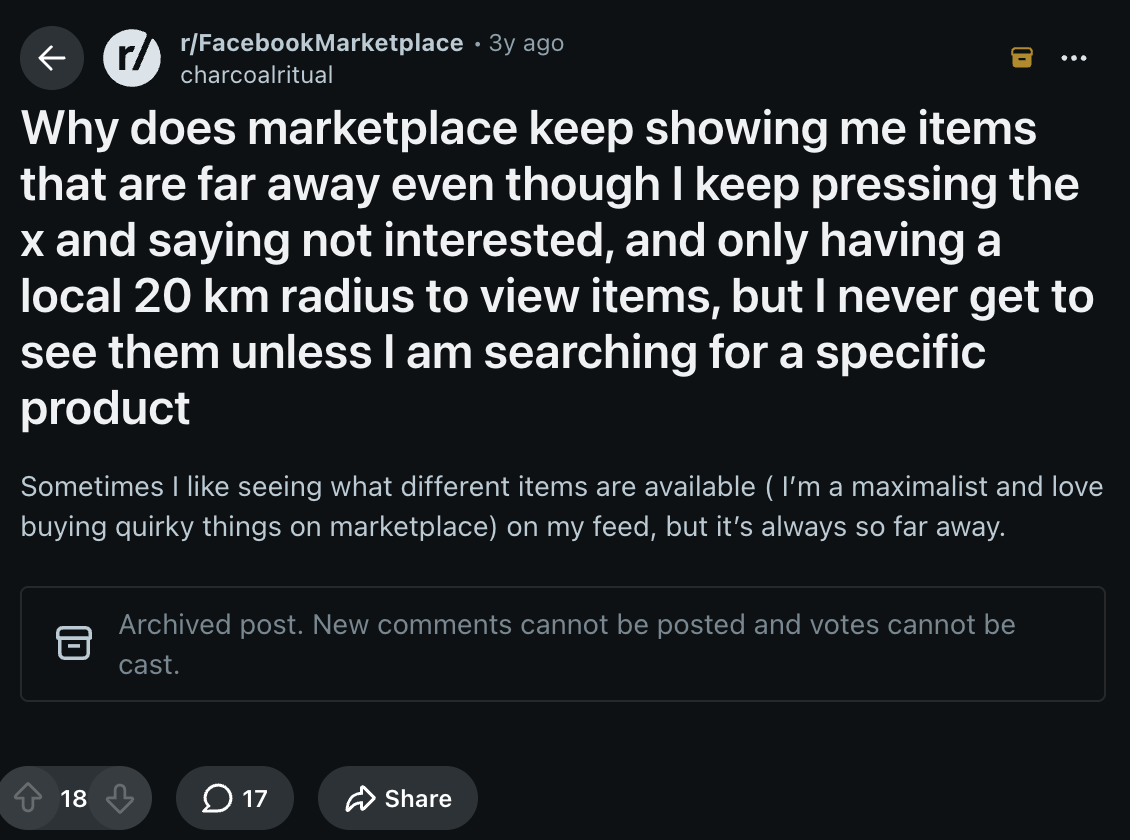
You might find yourself frustrated by how many far-away or irrelevant listings turn up on Facebook Marketplace. You're not alone in that — it's a common complaint.
At a glance
| What appears | Why your radius doesn't hold it back | What you can do |
|---|---|---|
| Shipped listings | A shipped item has no meaningful location from your side, so a local pickup radius doesn't constrain it | Filter delivery method to Local pickup |
| Sponsored placements | Paid units take grid positions regardless of filters, as do retail listings sold through partners | Nothing in Marketplace's own filters |
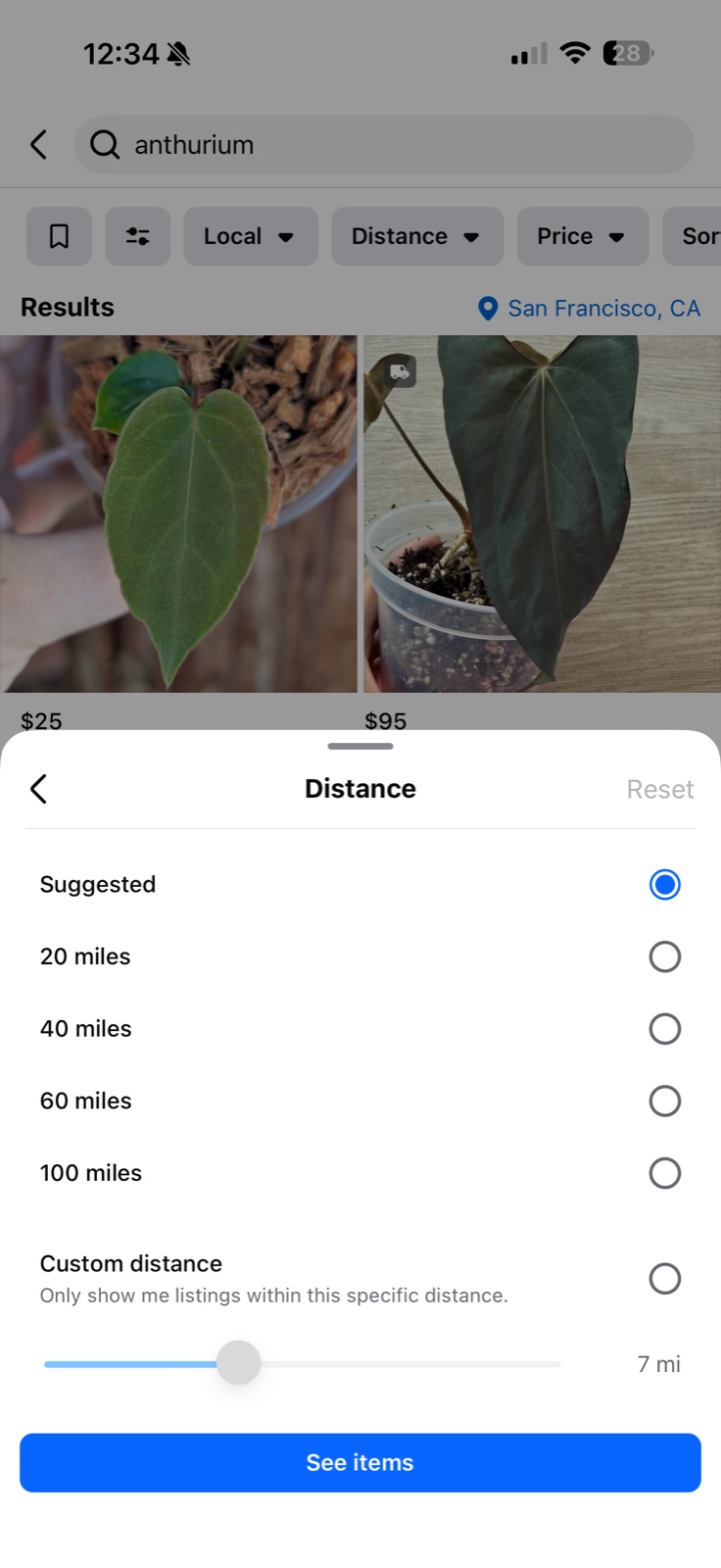
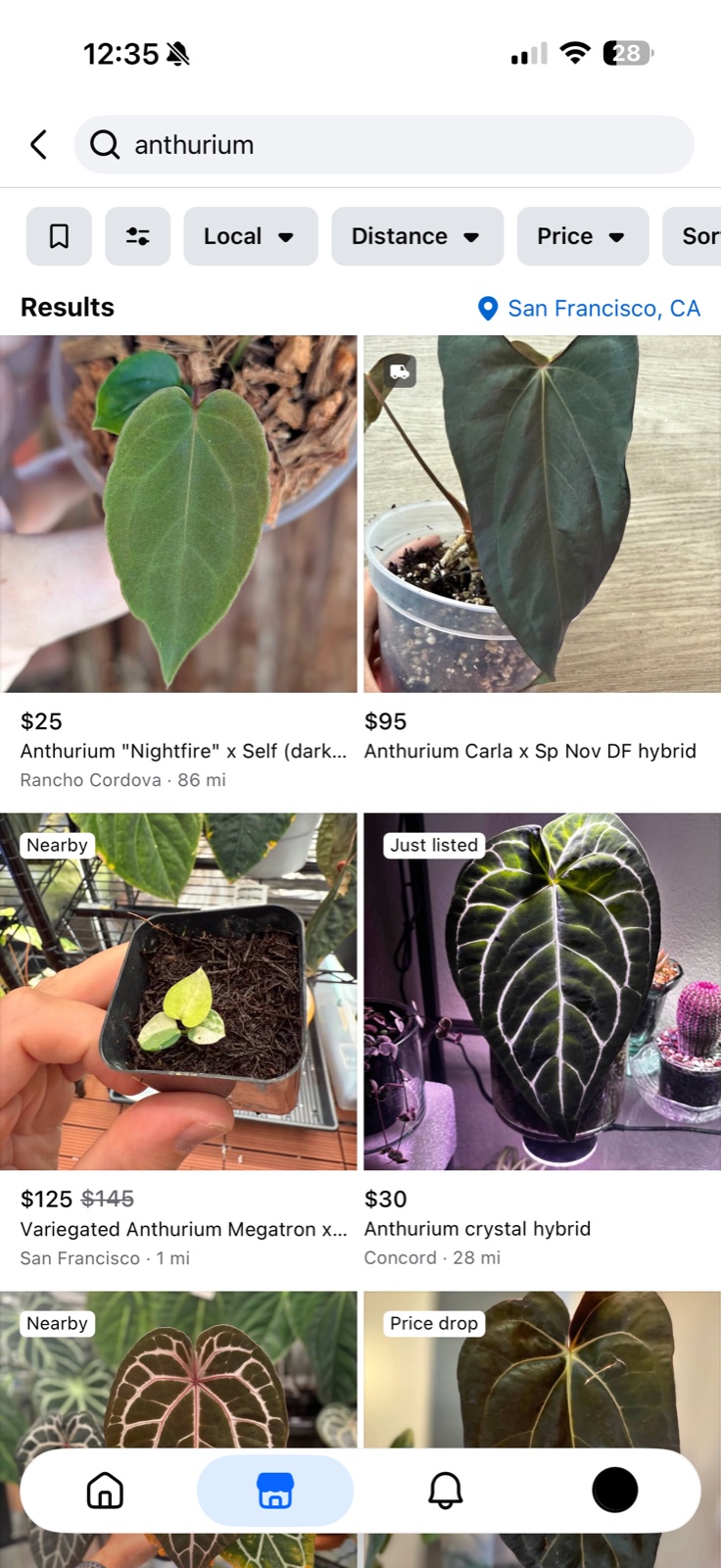
| Results under "Suggested" | The default distance is a setting named "Suggested", not a mileage value. One San Francisco search under it returned a listing 86 miles out | Set an explicit radius, once per device |
Shipped listings aren't bound by your radius
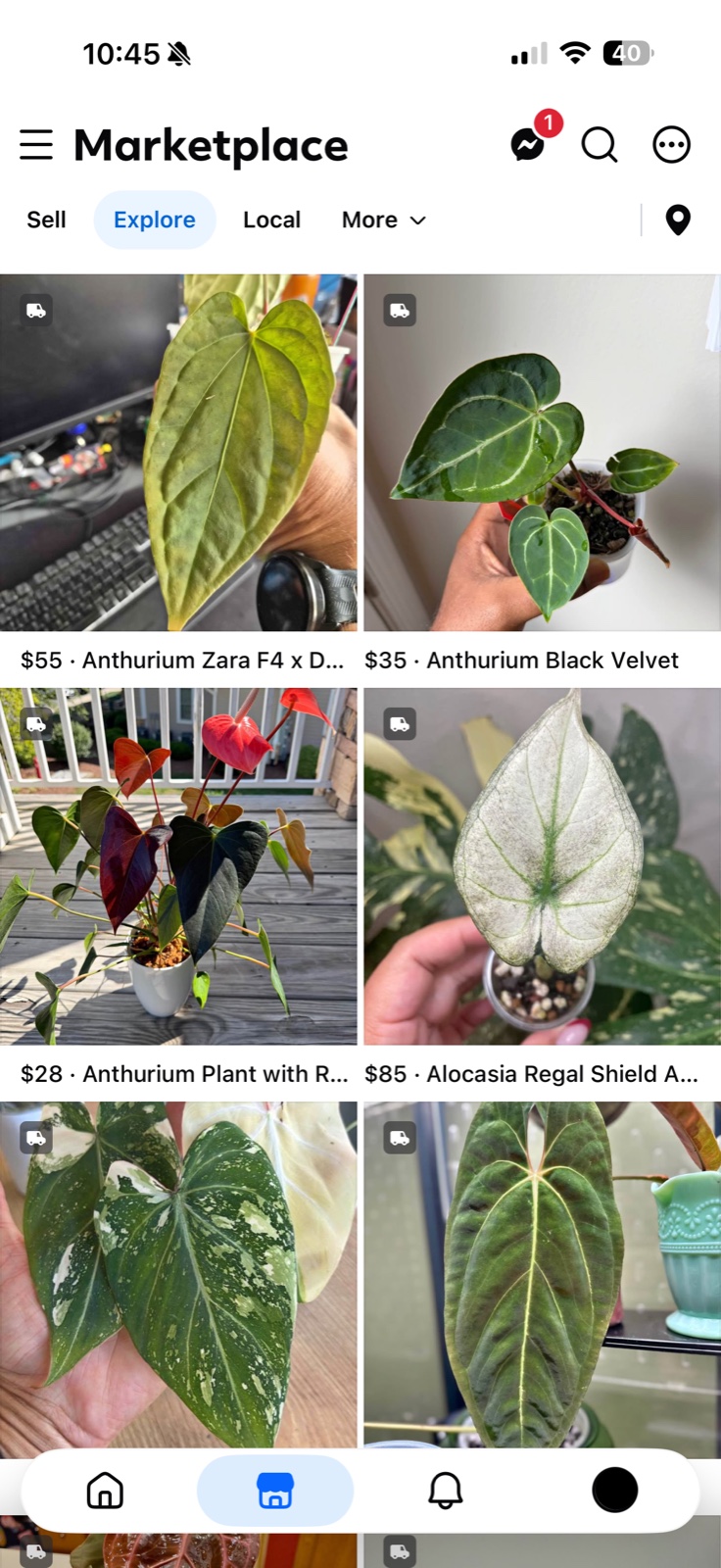
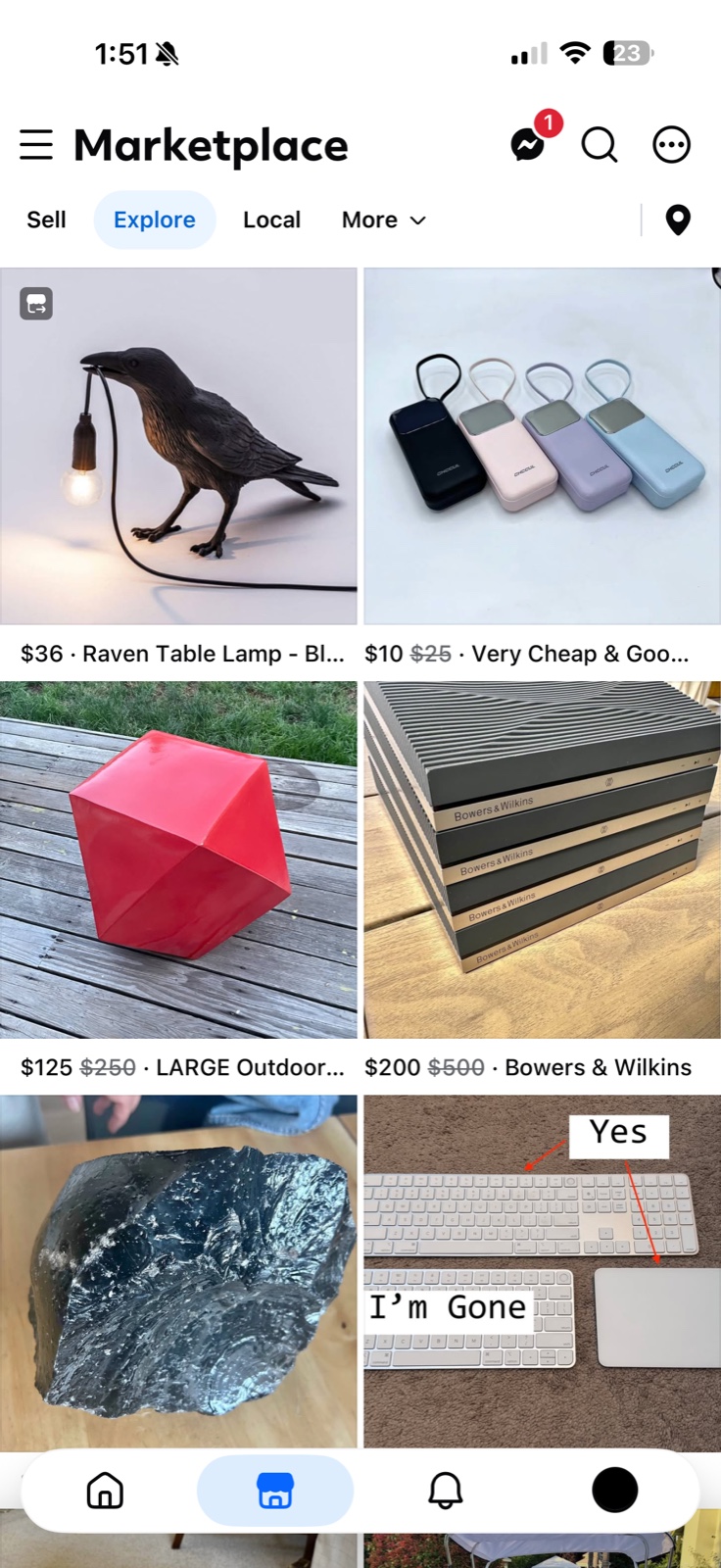
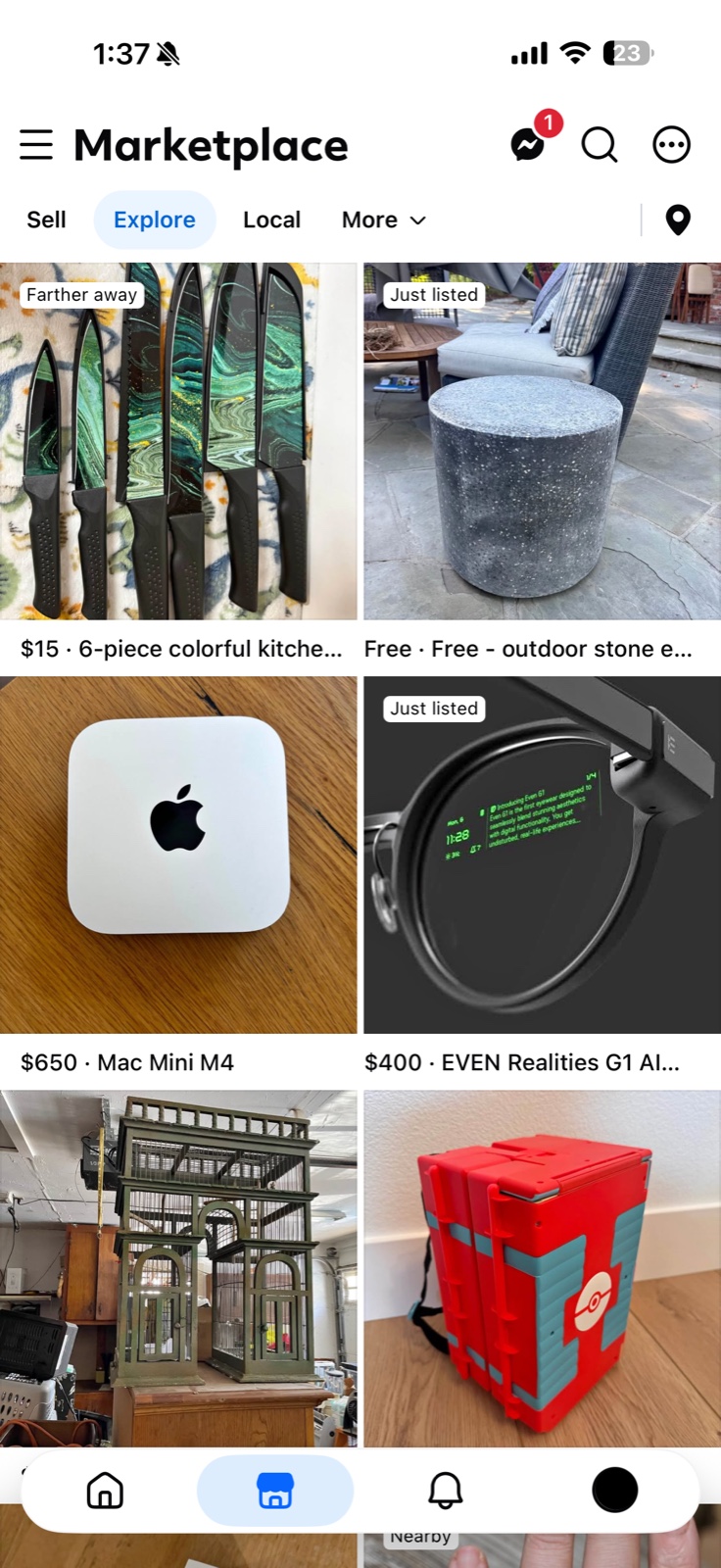
Marketplace started as local pickup only. Facebook later added shipping, which isn't constrained by radius. This is one of the biggest sources of far-away results, and it's most visible on Explore before you've searched anything. Shipped listings are often marked with a delivery truck icon in the corner of the listing.
Sponsored placements aren't sorted by distance
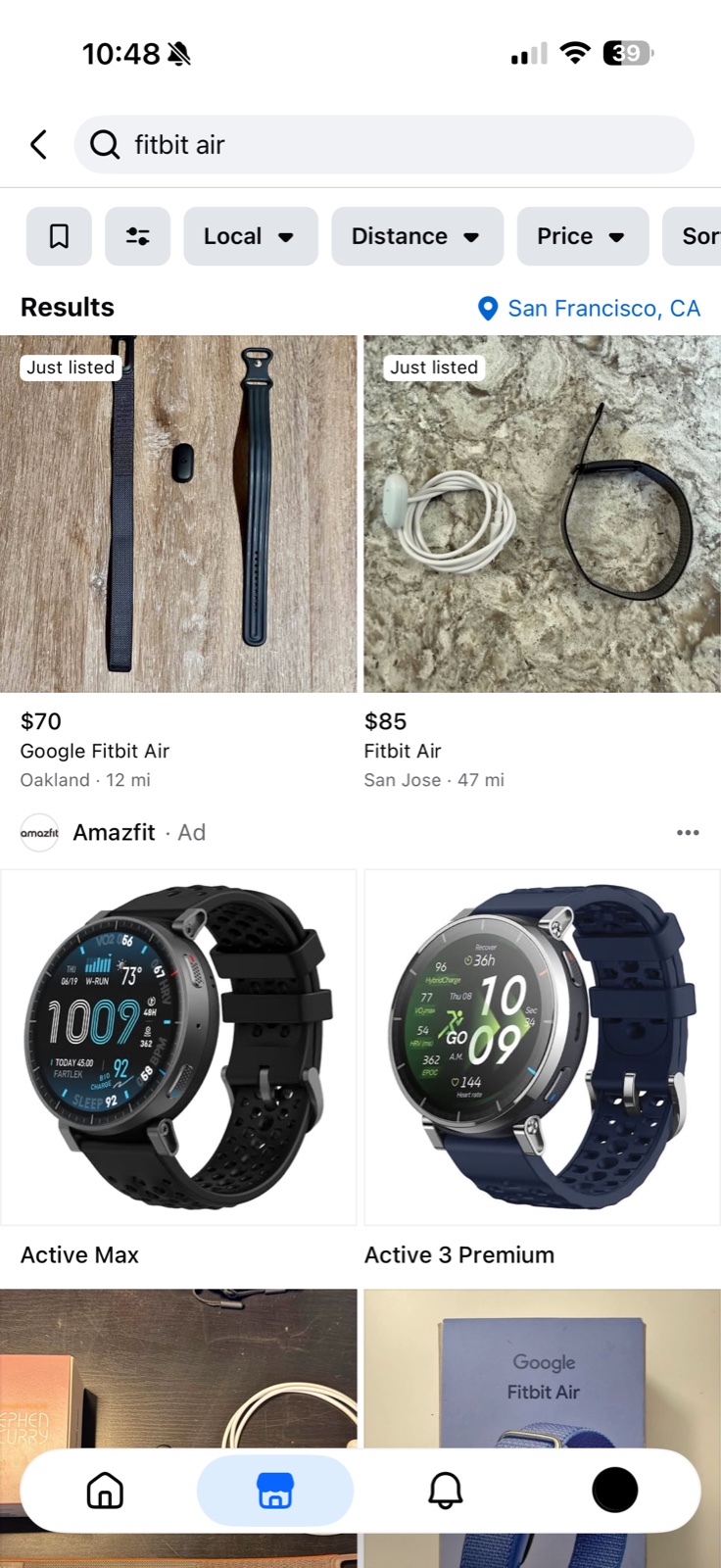
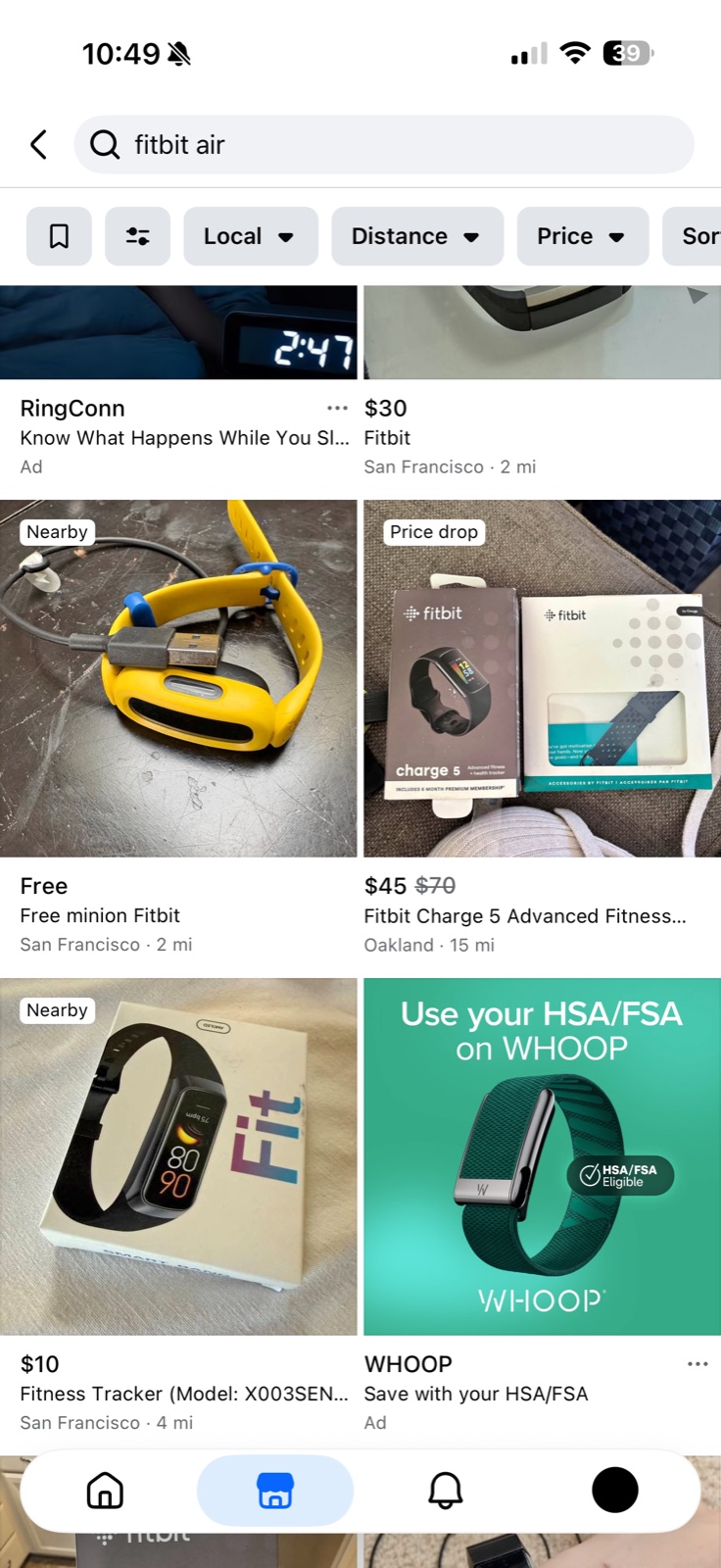
Paid items show up in your results regardless of your filters. They come in two shapes: a full row of advertising, and single cells shaped exactly like listings, sitting between them and marked only by a small "Ad". These sponsored listings don't get filtered out.
A search for "fitbit air" from San Francisco returned two listings with distances on them — Oakland · 12 mi and San Jose · 47 mi — and then a full row of Amazfit advertising. Scrolling on, two more ads turned up as ordinary-looking items among four real listings.
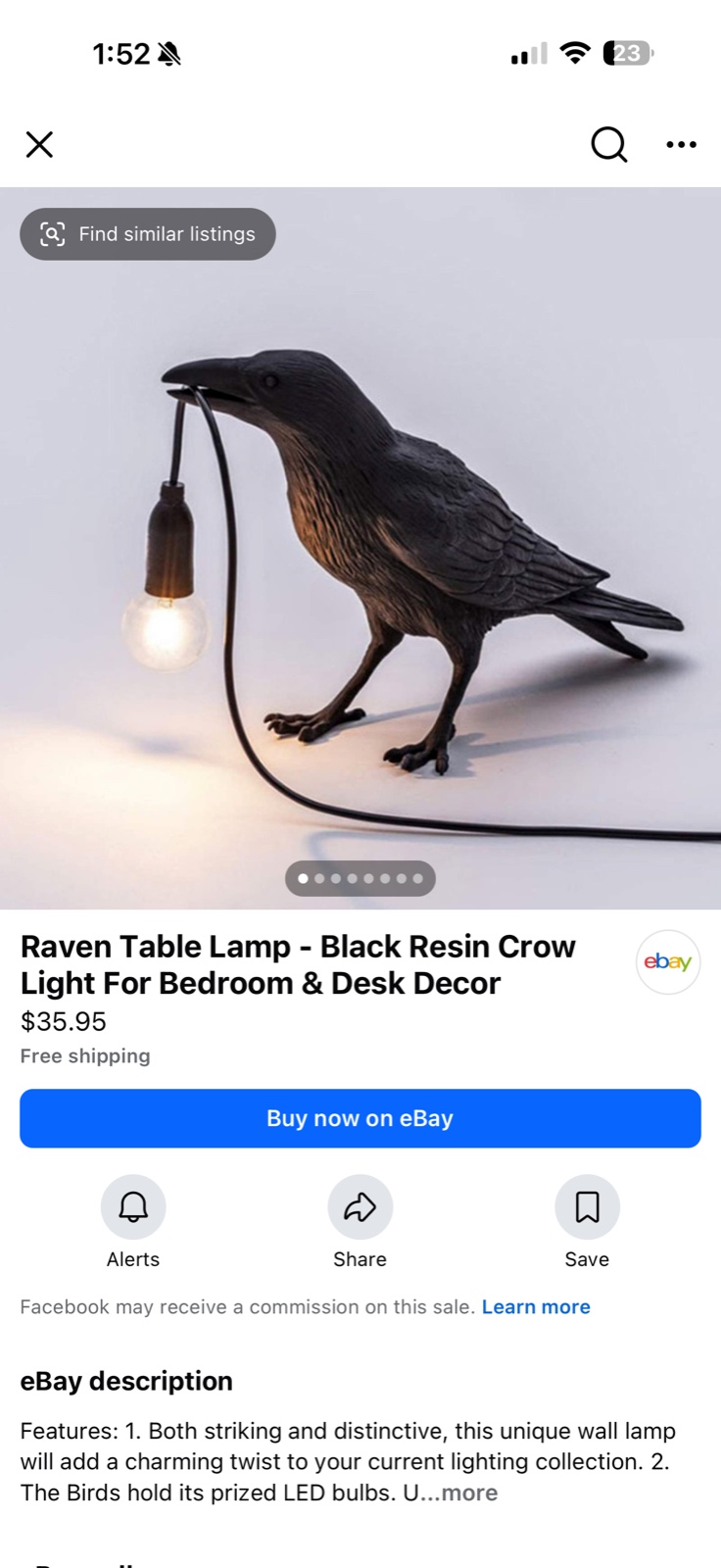
Recently, eBay items have been appearing as normal listings as well. When you click into them, they show "Buy now on eBay" button, and a line indicating "Facebook may receive a commission on this sale."
The default distance isn't a number — it's "Suggested"
Marketplace's default isn't a distance value. It's a setting labeled "Suggested." Most people never open the filter panel and reasonably assume they're seeing nearby items.
Here is what that produced. Searching "anthurium" from San Francisco with the distance filter untouched, the first screen of results ran from San Francisco · 1 mi to Rancho Cordova · 86 mi, with Concord · 28 mi in between.
Marketplace Explore also frequently recommends items marked "Farther away".
How to reduce it
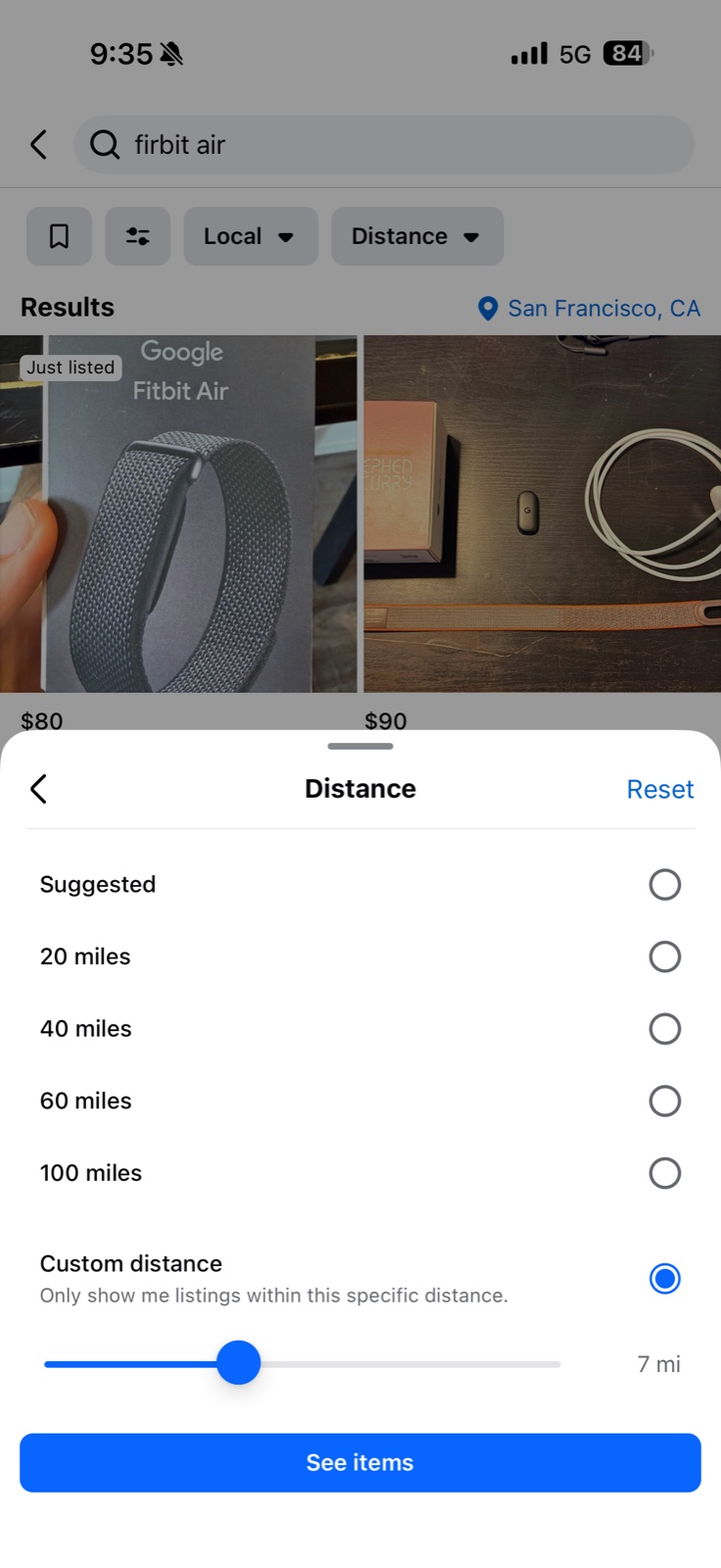
Set an explicit radius. Filter icon → Distance → anything other than "Suggested".
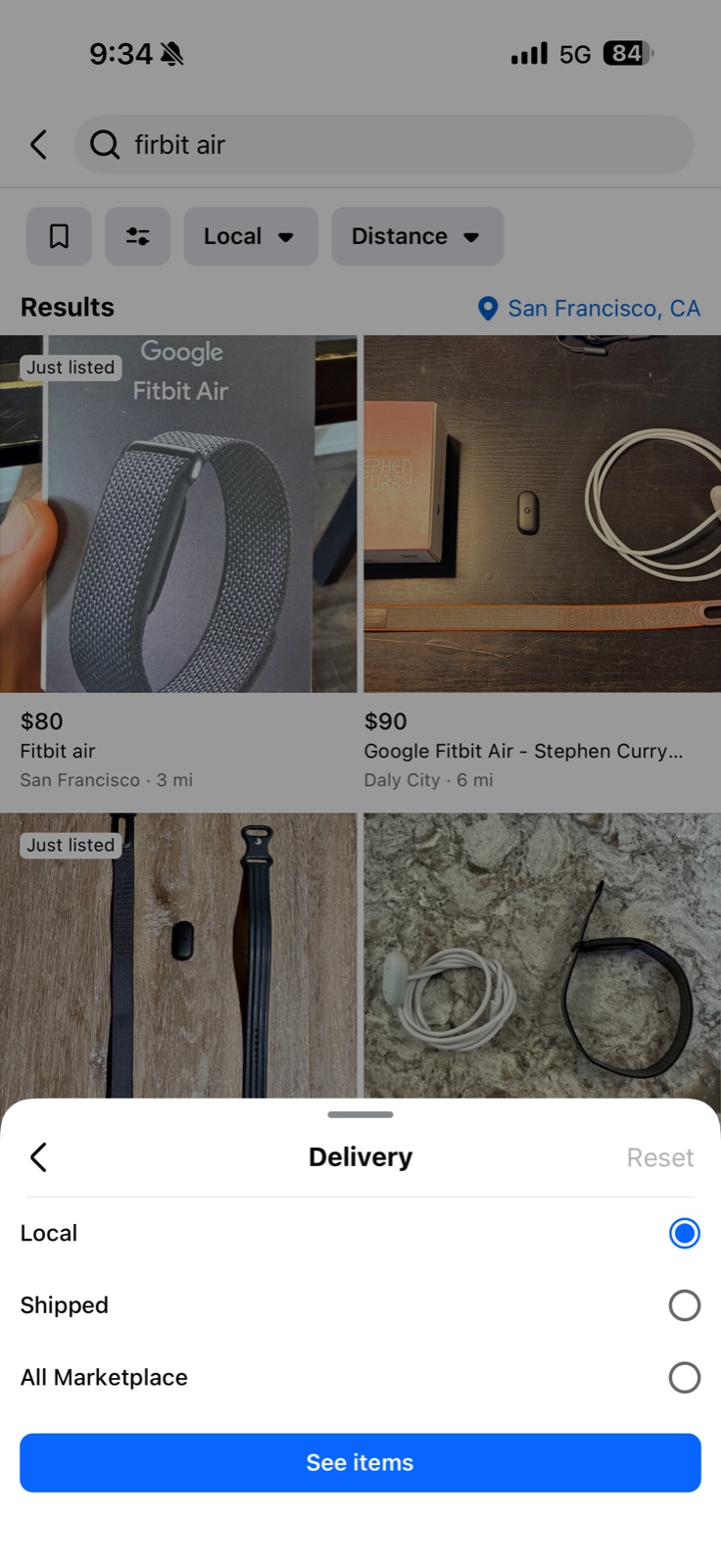
Filter to local pickup only. The Delivery filter offers Local, Shipped, and All Marketplace. Picking Local excludes shipping-enabled listings at the source.
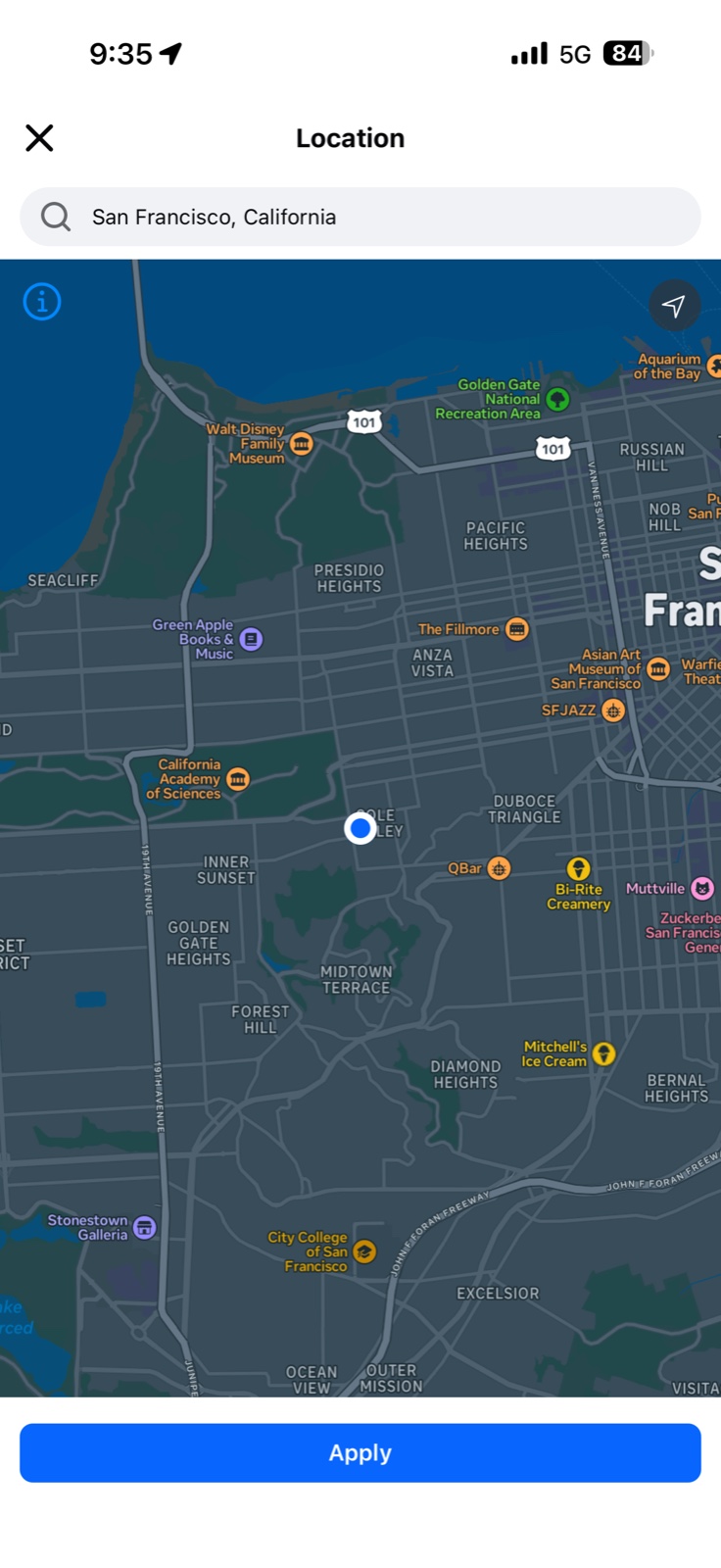
Set your location precisely. Marketplace distances can be measured from a city broadly or a specific point. Make sure to update your location filters to your specific neighborhood instead of your city more broadly or results will show relative to the center of your city.
A shorter version of all of this
Openmarket shows local listings only. Accurate distance filtering is on by default — no filter panel, no "Suggested," no shipped listings from three states away mixed into your results. No ads.
Openmarket is not affiliated with, endorsed by, or sponsored by Meta Platforms, Inc. Facebook and Facebook Marketplace are trademarks of Meta Platforms, Inc., used here for identification and commentary only.
Questions people search for
Does the Facebook Marketplace distance filter work?
It works on the listings it governs, which are local pickup listings from nearby sellers. It does not govern shipped listings or paid placements, and if you have never opened the filter panel it governs nothing at all, because the default is a setting named "Suggested" rather than a mileage.
Why does Marketplace show items far away?
Shipped listings have no meaningful location, so a local pickup radius does not constrain them. Paid placements take grid positions regardless of your filters. And under the default "Suggested" setting there is no radius in force at all — in one San Francisco search on 18 August 2026, results ran out to 86 miles.
What does "Suggested" distance mean on Facebook Marketplace?
It is the distance filter's default state, and it is not a number. Until you pick a mileage yourself you do not have a radius set. The presets start at 20 miles, so in a city you want Custom distance and its slider.
How do I see only local pickup items on Facebook Marketplace?
Open the Delivery filter and choose Local rather than Shipped or All Marketplace. That excludes shipping-enabled listings at the source. It also hides nearby sellers who happen to offer shipping, so it is blunt, but it is the right setting when you want something you can collect today.